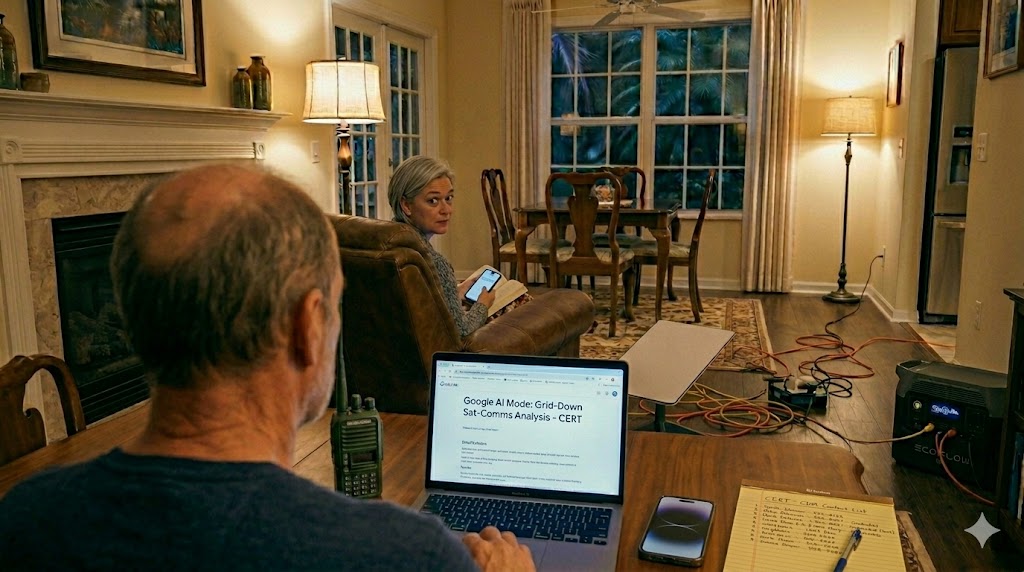
It started with a completely mundane digital bottleneck. Recently, while sitting at the desk on my new M5 MacBook Air, I tried to install the latest Apple iOS updates on my iPhone 15. The phone squawked about a total lack of storage. To make room, I had to execute a massive digital triage: purging 53 GB of old photos from my local camera roll trash, bridging my clean 9.55 GB library to iCloud using the “Optimize iPhone Storage” feature, and verifying my long-term backups on Google Photos. I had a lot going on at the same time.
While watching that progress bar slowly tick away, I opened a Chrome tab and booted up Google’s AI Mode. What began as a casual chat about cloud storage architecture quickly evolved into a deep dive into satellite-assisted communications and regional disaster resiliency.
As a Community Emergency Response Team (CERT) member here in Southwest Florida, I don’t look at smartphones simply as consumer gadgets; I look at them as tactical tools. And sitting there waiting for that iOS download to finish, it hit me: I was in pure preparation mode, using my primary computer to enhance the very device that would become my ultimate lifeline when the ground infrastructure fails.
The Friction Between FUNCOMM and EMCOMM
If you read this blog regularly, you know that 99% of what we do here falls under the banner of “FUNCOMM”—the pure hobby side of amateur radio. We configure virtual audio pipelines, map out remote station network bridges, and practice digital modes like Winlink, VarAC, and JS8Call, often from the absolute comfort of a living room recliner. Sometimes, from the golf cart while parked at the neighborhood lake.
As I’ve said before, there is a distinct, sharp line in the sand where the “fun” stops and the true “emergency” communications begin.
When a hurricane bears down on Lee County, my remote station setup isn’t what I rely on. In a grid-down scenario, you won’t find me trying to run a high-power remote HF rig on emergency backup batteries just to chat. Instead, the real-world value of all that hobby experimentation reveals itself: the endless hours spent troubleshooting digital data packets, virtual soundcards, and network routing from the recliner are what train the brain to operate flawlessly under pressure when a real crisis strikes.
When the commercial power grid drops, the hobby tools get put away, and the actual emergency deployment begins.
The Ground Reality: Towers and Fuel Logistics
We often assume that municipal emergency infrastructure is invincible. In our region, our local Emergency Operations Center (EOC) and its 911 call center—Lee Control—is a heavily hardened concrete bunker built to survive the absolute worst mother nature can throw at us. During Hurricanes Irma and Ian, that bunker stayed entirely online.
But as the Director of Lee Control recently shared with me, the bunker itself isn’t the weak link in a disaster. The vulnerability is always logistics.
- The Generator Problem: Hardened facilities and remote radio towers rely on industrial diesel generators. When the commercial power grid stays down for weeks, emergency management becomes a logistical race against fuel delivery schedules over debris-strewn roads.
- The Repeater Bottleneck: Public safety communications rely on P25 digital radio repeater towers spread across the county. If a tower loses power, or if a fuel truck can’t get through to replenish its generator, the public safety coverage map instantly shrinks.
When the terrestrial infrastructure faces a logistical choke point, our emergency communications plan has to look up.
The Space Shakeup: Direct-to-Device vs. Dedicated Dish
The satellite communication landscape is shifting under our feet, driven by massive corporate plays and technical breakthroughs. To build a reliable backup plan under the ROTA-Radio umbrella, we have to look at the two distinct layers of space-based comms now available to us.
1. Direct-to-Device (The Phone in Your Pocket)
Apple originally launched its Emergency SOS feature using Globalstar’s LEO satellite fleet. In a massive industry shakeup, Amazon acquired Globalstar for $11.6 billion, absorbing it into its space wing while partnering with Apple to secure and expand this network for current and future iPhones.
Simultaneously, T-Mobile’s partnership with SpaceX has moved out of beta with their “T-Satellite” service. iPhones can now leverage Starlink’s Direct-to-Cell satellites for off-grid texting. The true breakthrough here? You don’t even need to point your phone at specific coordinates in the sky anymore; the phone treats the satellite like an orbital cell tower in space.
2. Dedicated Dish (The Portable Hub)
On the other side of the spectrum is dedicated hardware like the Starlink Mini. Operating on a portable data plan, a small DC-powered dish can instantly broadcast a localized Wi-Fi bubble anywhere on earth, independent of local terrestrial infrastructure.
Reality Check: Text vs. Voice Packets in CERT Operations
When configuring your emergency comms dashboard, you have to separate theoretical capability from hard legal and physical limits:
- Bandwidth Restrictions: The iPhone’s native internal satellite features (Emergency SOS and Messages via Satellite) are strictly restricted to low-bandwidth text data packets. Standard smartphone antennas simply lack the physical aperture to catch a voice-capable satellite signal directly from space.
- The Starlink Mini Workaround: Because a Starlink Mini utilizes a large, dedicated phased-array dish, it delivers high-bandwidth internet. If you connect your iPhone to the Mini’s Wi-Fi bubble with Wi-Fi Calling active, you can place standard, real-time voice calls straight to emergency dispatchers at Lee Control.
- The E911 Address Lock: For this to work seamlessly in a crisis, your E911 emergency address must be mapped accurately to your physical home inside your cellular carrier settings before the storm hits.
- The Mac Restriction: Note that while an M5 Mac can easily route data through a Starlink Mini Wi-Fi bubble, macOS is legally blocked from dialing 911 via Wi-Fi calling due to federal E911 tracking mandates. The physical iPhone remains your primary voice lifeline.
Handling the Community Disaster Messenger (CDM) Workflow
For a CERT member in our neighborhood, communication isn’t just about calling for help; it’s about stabilizing the neighborhood. Once life-safety issues are addressed via E911, the primary mission becomes handling tactical health and welfare traffic.
This is where the combination of an updated iPhone and a Starlink Mini becomes a vital neighborhood asset. By establishing a local Wi-Fi bubble at a staging point, we can run a localized Community Disaster Messenger (CDM) workflow.
Because we’ve spent years practicing text-based data compression via amateur radio digital modes, we know exactly how to manage narrow bandwidth. We can use the iPhone’s satellite texting capabilities or the Starlink Mini’s network to batch-send health and welfare messages, letting anxious family members across the country know that their loved ones in North Fort Myers are safe—all without clogging the vital, heavily burdened voice channels needed by first responders.
The Off-Grid Communications Checklist
If you are auditing your household or team emergency plan for the upcoming season, use this tiered framework to ensure true communications redundancy while you are still in preparation mode:
- [ ] Map Your E911 Location: Inside your smartphone’s cellular settings, verify that your Wi-Fi Calling address matches your secure shelter location so emergency routing works over satellite data links.
- [ ] Establish a Satellite Text Baseline: Ensure every member of your family knows how to launch the native iOS Satellite connection before cellular networks drop. Practice sending a baseline text off-grid.
- [ ] Secure Independent Power: Pair your Starlink Mini and networking gear with a reliable lithium power station (LiFePO4) or solar generator so your local Wi-Fi bubble can run for days without relying on a combustion engine.
- [ ] Keep the Smartphone Primary: Treat your laptop as an engineering, logging, or information tool, but keep your smartphone charged as the designated gateway for critical voice and emergency text routing.
73,
Paul, N4FTD
Coming soon on ROTA-Radio
We are tracking the rollout of these new Direct-to-Cell capabilities closely. In an upcoming post, we’ll dive into a field-test comparison of off-grid text delivery speeds under heavy canopy coverage versus open sky, looking at how it handles the specific environments we encounter during local field operations. Stay tuned!


Leave a comment